Your season, your rules.
You run the league. Families, coaches and a few fields, all wanting Saturday morning. Big Sports builds the season from your rules, lets everyone see it, and when the rain comes, moves one game instead of the whole month.
The setup
Who this is for
You are the one who has to make it work: the volunteer who became the registrar, the scheduler with a spreadsheet, the director with three divisions and two parks. You know the rules already. Nobody plays back-to-back road games. The U8s are done by noon. Field 3 floods.
Big Sports takes those rules, places every game, and then keeps the schedule honest after it goes out. Here is your week.
Monday · Build the season
Tell it the rules
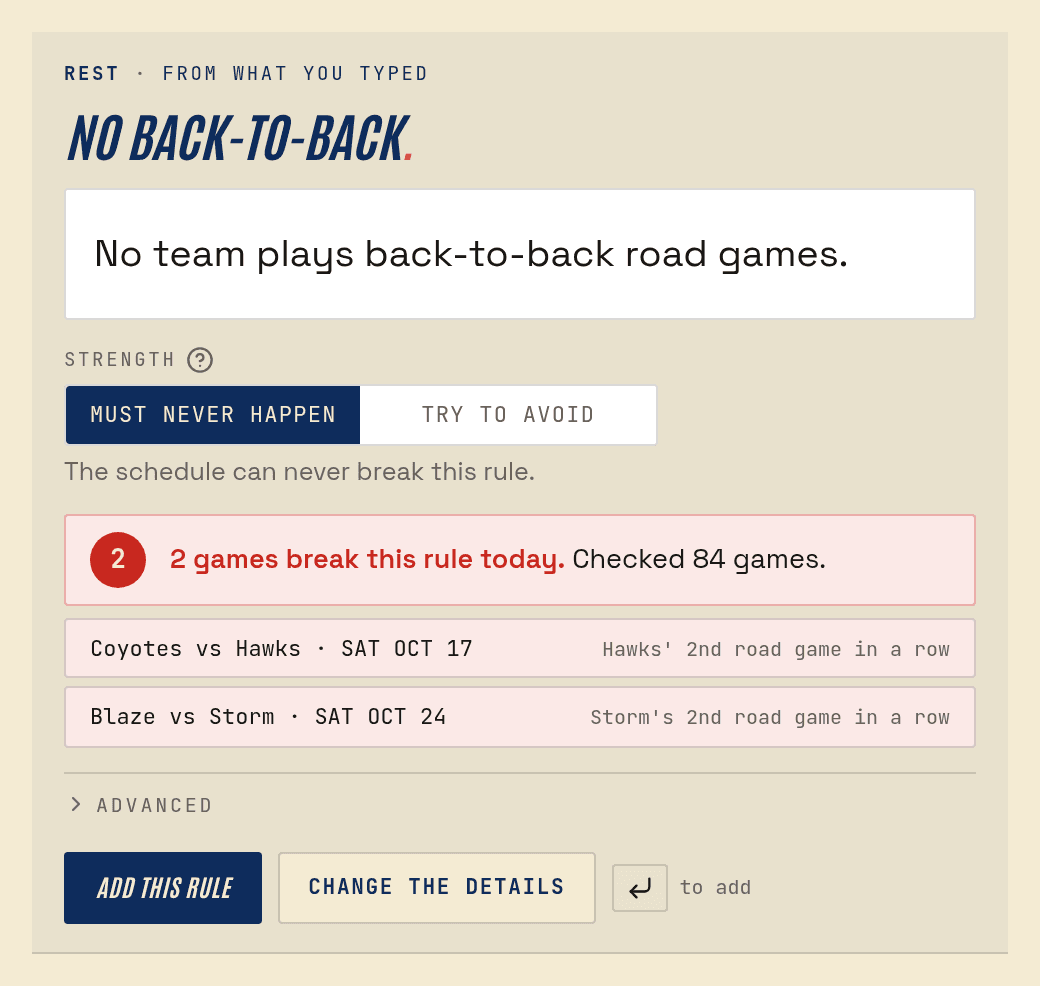
Add your teams, your venues and the rules you play by. Big Sports places every game to fit them. Add a rule and it checks it against the season before it counts, so you see which games break it today, not on Saturday.
Pick rules from the list, or type one the way you'd say it. You decide whether a rule must never happen or is only worth trying for.
Thursday · Publish
Publish, and stop answering texts
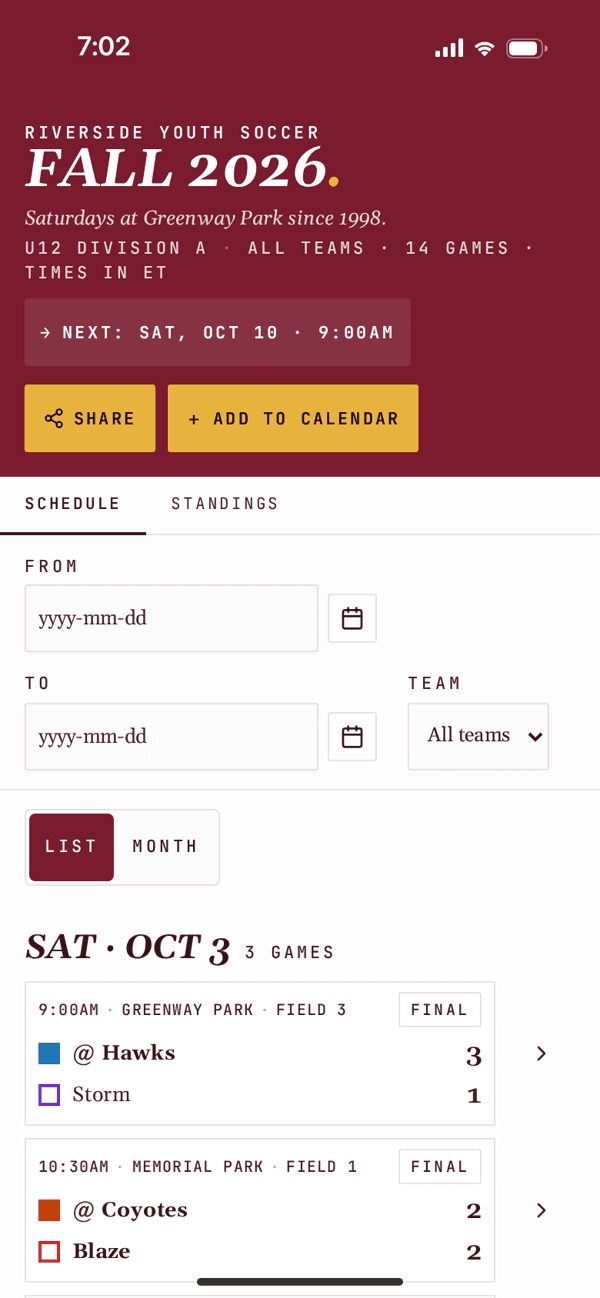
When the schedule is right, publish it. Every parent, coach and ref gets a link that works on a phone. Teams get a calendar feed, so the games land in their own calendars.
Move a game later and the page and the feed both follow. You don't send the second email.
Saturday · 7:30 AM
Rain at the park? One button
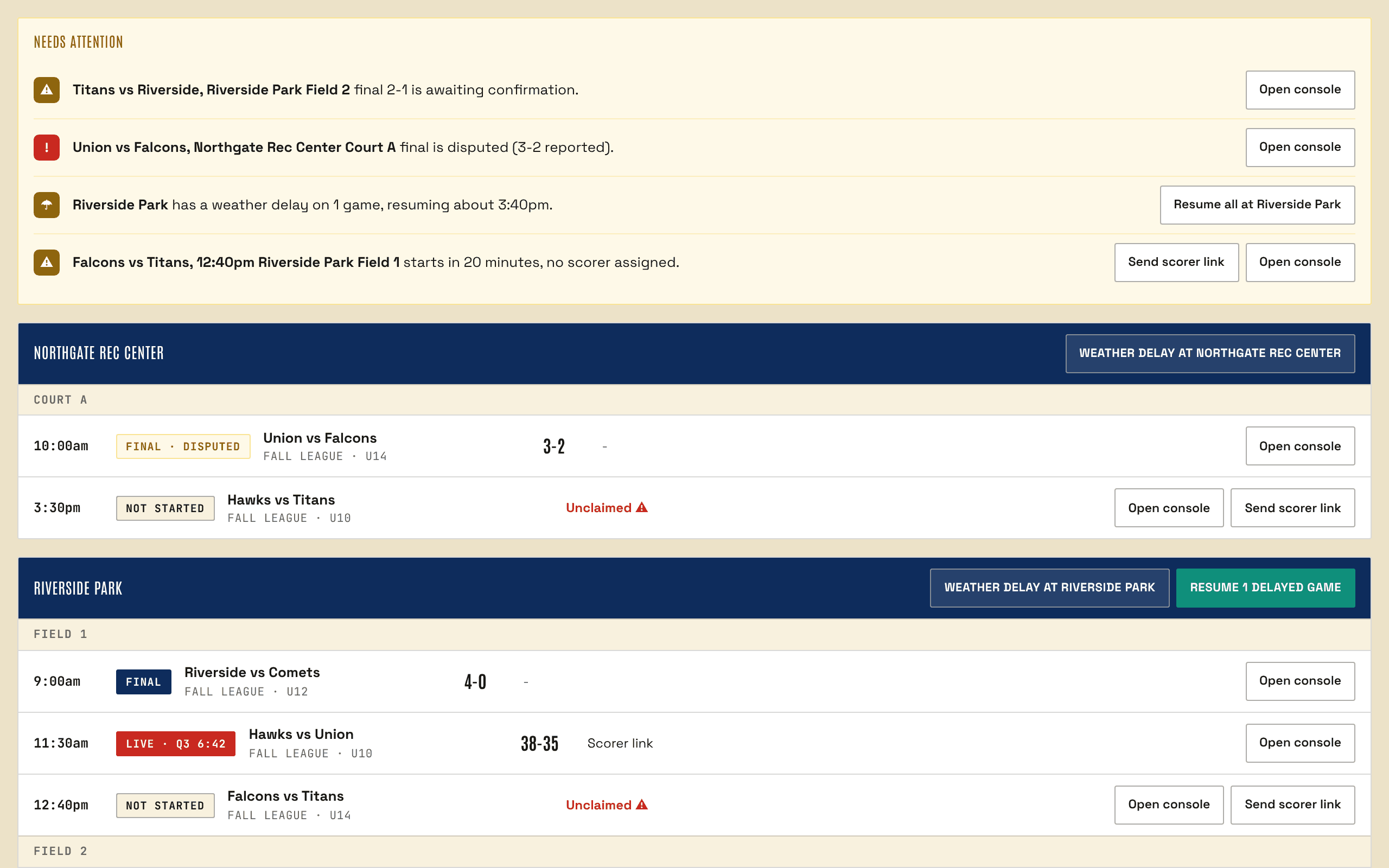
The game-day board has every park on one page: which games are live, which are final, which have nobody keeping score. When the weather turns at a park, delay all of its games from one button. Parents see it on the public page at once.
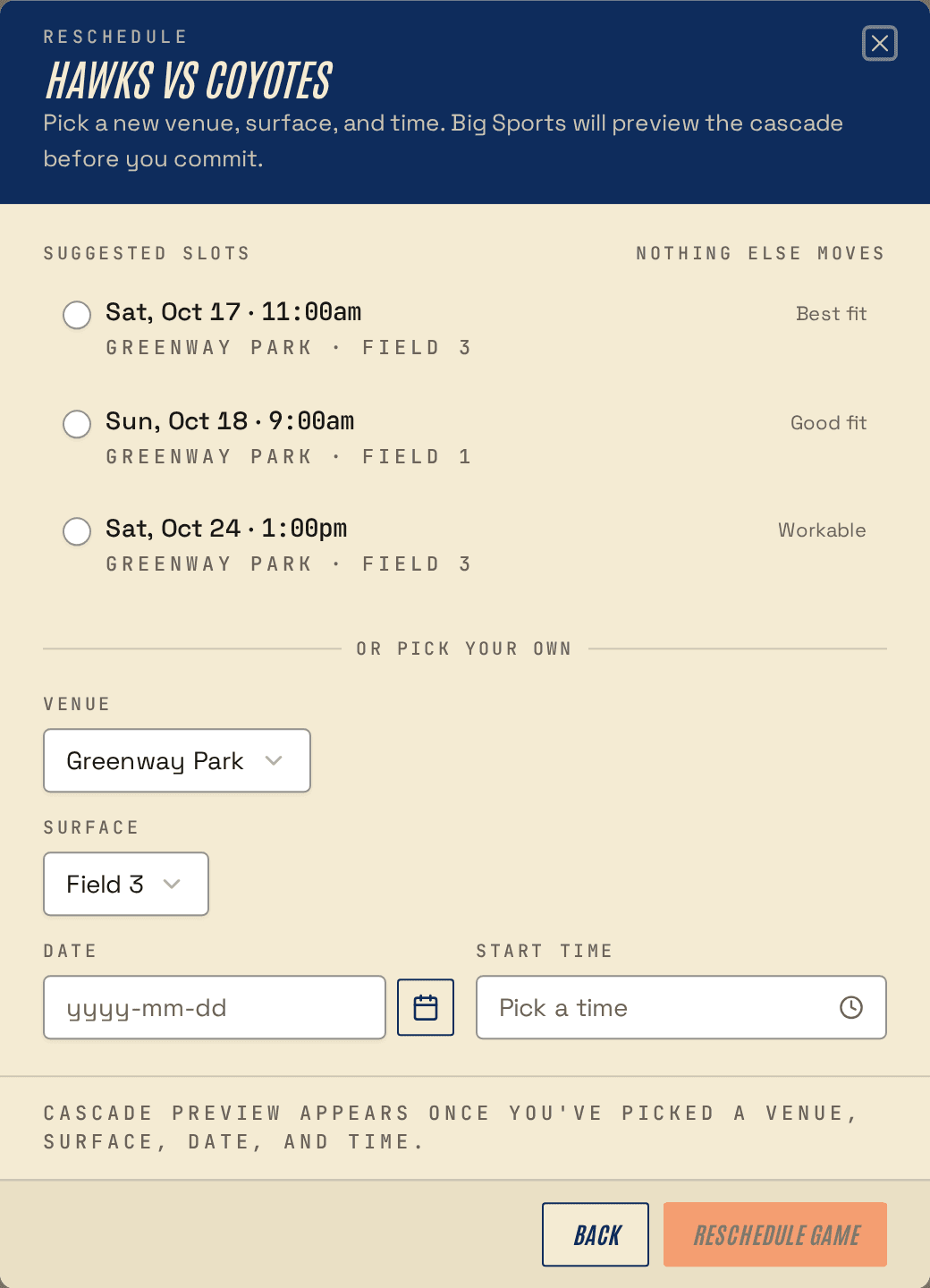
If a game has to move to another day, Reschedule suggests slots that fit your rules. Only that game moves, and nothing is saved until you say so.
Sunday · The history
Know who changed what
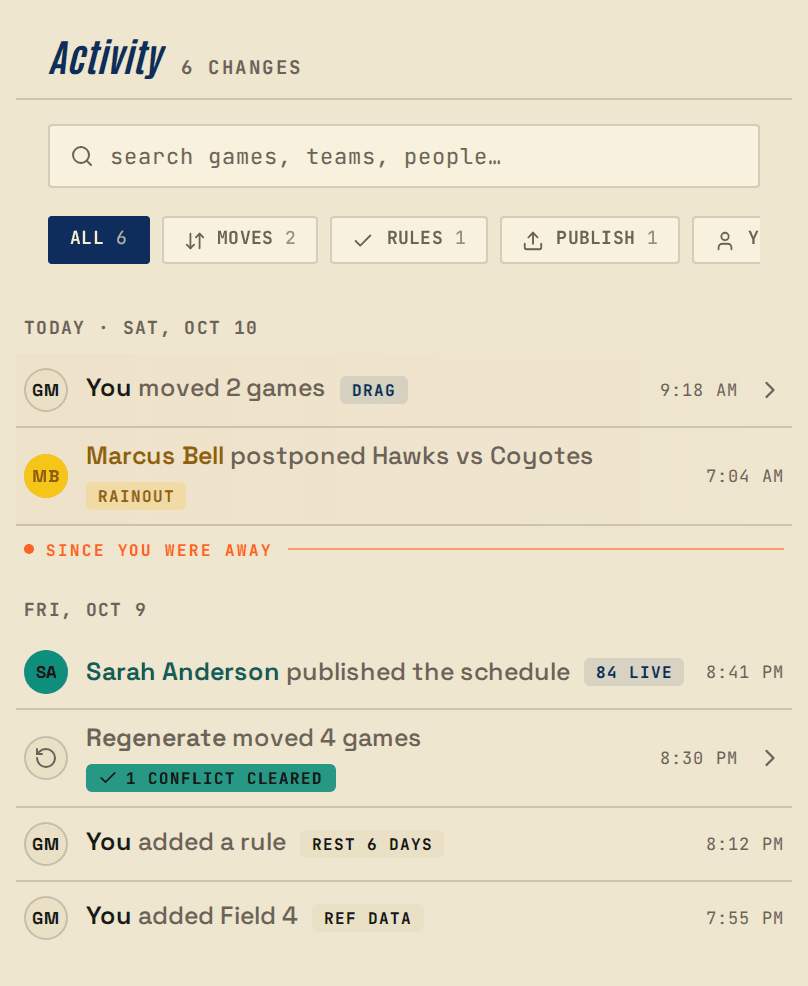
Every change is a line in one history: a game moved, a rule added, a schedule published. Who did it, and when. When a coach asks why the game moved, you can show them.
Made a change you regret? Undo it from there.
Features
Read more
- Smart rules
Type a rule the way you'd say it, and see which games break it before you add it.
- Survives the Saturday rainout
Move one game without shaking loose the rest of the season.
- Schedule version history
Every change, who made it and when, with undo.
- Officials and referee assigning
Crews, offers and answers on one board.
Questions
Questions people ask
- Do I have to write my rules as sentences?
- No. You can pick rules from a list, or type one in your own words and Big Sports reads it back as a rule for you to check before it's added.
- Can I still move a game by hand?
- Yes. The suggested slots are suggestions. Drag the game where you want it, and each slot shows whether it would break a rule before you drop it.
- What do parents see when I move a game?
- Once you save it, the public schedule updates within about 15 seconds. The calendar feed carries the new time the next time their calendar app checks. Nobody needs a new link.
- Can I take a change back?
- Yes, for changes you made yourself. Find it in the history and undo it from there. The history covers the whole season, and it doesn't roll off.
- Which parts of this come with Plus?
- Typing rules as sentences, the game-day board and live scoring, and officials come with Plus. Building the schedule from a list of rules, publishing it, moving games with make-up slot suggestions, and the change history are there for every league.
Get started
Start a season.
Twenty-two teams on four fields is an ordinary season here. Bring yours and see what it does with them.
Plus is $79 a month. Try it free for 21 days, no card.