Tap in the score.
You volunteered to keep score, and you have a phone. You don't want a login, an app or a tutorial. You want a big button for each team, a way to fix a mistake, and a way to say the game is over. That's the whole console.
The setup
Who this is for
You are a parent, a volunteer, a coach's spouse, whoever got handed the clipboard at the field. You might keep score every week or once. Either way you shouldn't need to join anything.
The league director sends you a link for the game. You tap it. You score from the sideline, and parents watching the public page see the score update.
Saturday · 8:30 AM
Tap the link
The director sends you a link, one per game. Open it in your phone's browser. No account, no app, no password. The link works for 12 hours by default and the director can turn it off sooner.
When the game is on, tap Start scoring, and start the clock if the game has one.
Saturday · 8:55 AM
Goal, goal, undo
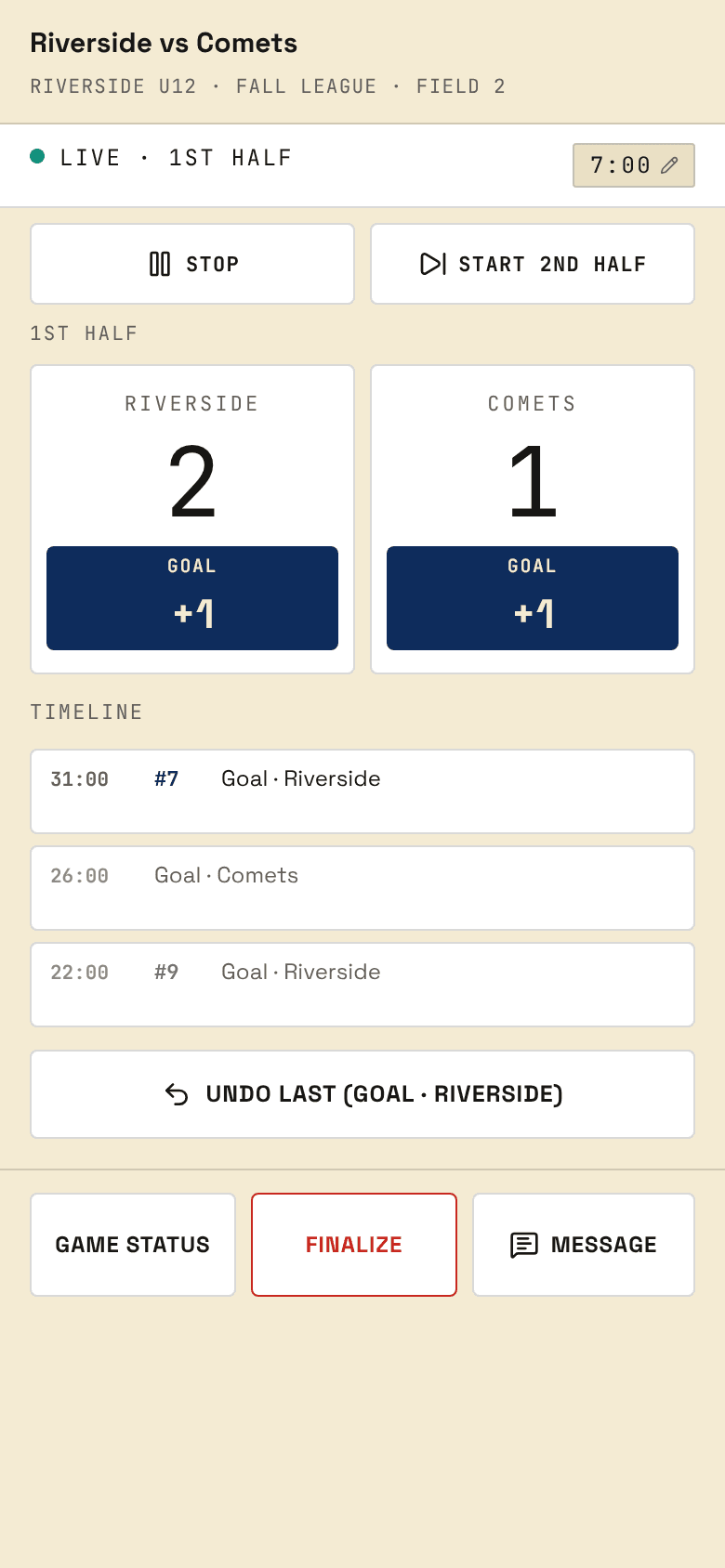
Each team has a Goal button as big as the screen allows. Tap it when it's a goal. Every score lands in a timeline underneath, newest at the top.
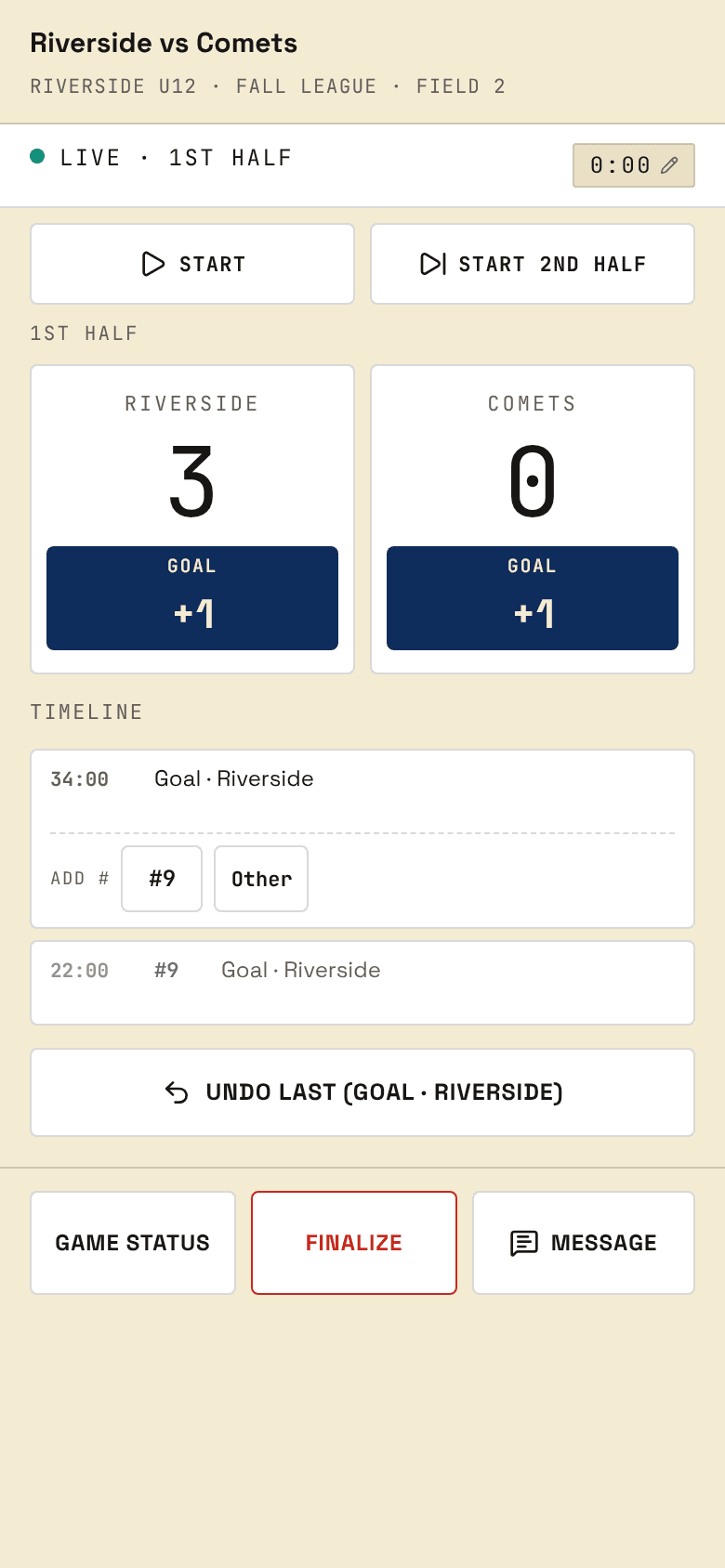
Tapped the wrong team? Undo last takes back your most recent score, and its label names which one.
Saturday · 9:10 AM
A number, never a name
After a goal, the console offers the jersey numbers it has seen for that team. Tap one, or skip it. The public game page shows the number beside the goal and never a player's name.
Need to tell parents something, like a field change or a short delay? Message sends an update to the public game page. Game status is where a weather delay goes.
Saturday · 9:45 AM
Say it's over
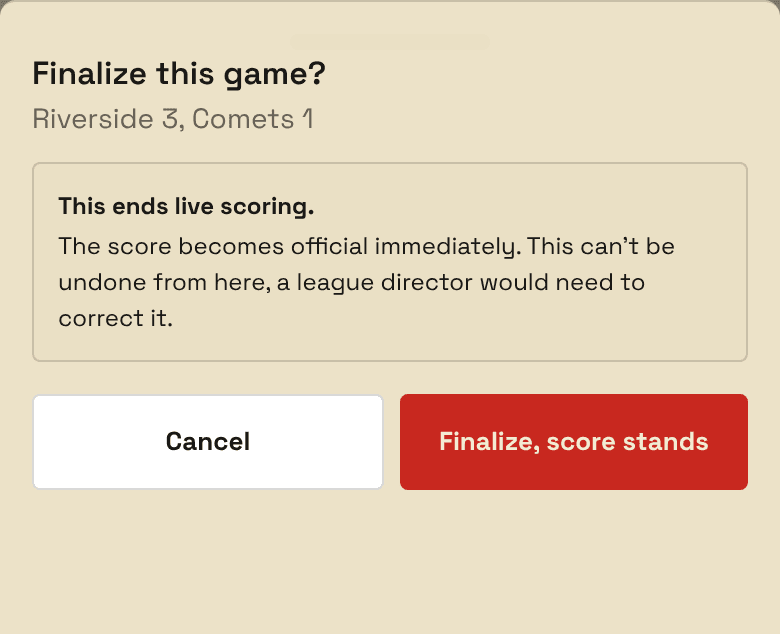
When the final whistle goes, tap Finalize. It asks first, because the score becomes official and a director has to correct it if you got it wrong. Confirm and you're done.
One thing you can't do: finish a tied playoff game. A playoff can't end in a tie, and picking the winner is a director's call. The console says so, your score stays saved, and a league director takes it from there.
Features
Read more
- Survives the Saturday rainout
What the league does when the weather turns, and what the public page shows while it does.
Questions
Questions people ask
- Do I need an account or an app?
- No. You open the link the league director sent you in your phone's browser. There's nothing to install and no password.
- How long does the link work?
- For 12 hours by default, so a link texted at 8 in the morning is dead before midnight. The director can also turn it off sooner.
- What if I tap the wrong team?
- Tap Undo last. It takes back your most recent score, and the button says which one it is.
- What if the game ends tied in a playoff?
- A playoff game can't end in a tie, and you can't pick a winner. The console says so, keeps your score safe, and a league director finishes the game.
- What if I lose signal at the field?
- Keep tapping. Your updates wait on your phone and a note at the top says how many are waiting. They send when the connection comes back.
- Are the players' names shown?
- No. If you add a jersey number to a goal, the public game page shows the number. It never shows a name.
Pass it on