Your team, one page.
You coach on weeknights and Saturdays, and you have a life. What you need is short: when the next game is, where it is, and whether anything moved since you last looked. Big Sports puts that on one page and leaves the rest to the league.
The setup
Who this is for
You coach a team, maybe two, maybe your kid's and your neighbour's. You are not the scheduler and you don't want to be. Someone else builds the season. You need to know where to be and when.
In Big Sports that someone is the league director. They put you on your team. You get a page that shows your games and nothing you can break.
Monday · You're in
An email, then your page
Your director invites you by email, and the invitation says which team you coach. Tap Accept invitation, make an account or sign in, and you land on your coach home. About a minute.
If you haven't been put on a team yet, the page says so, and your games show up the moment they do it.
Tuesday · Your games
Next games, every team
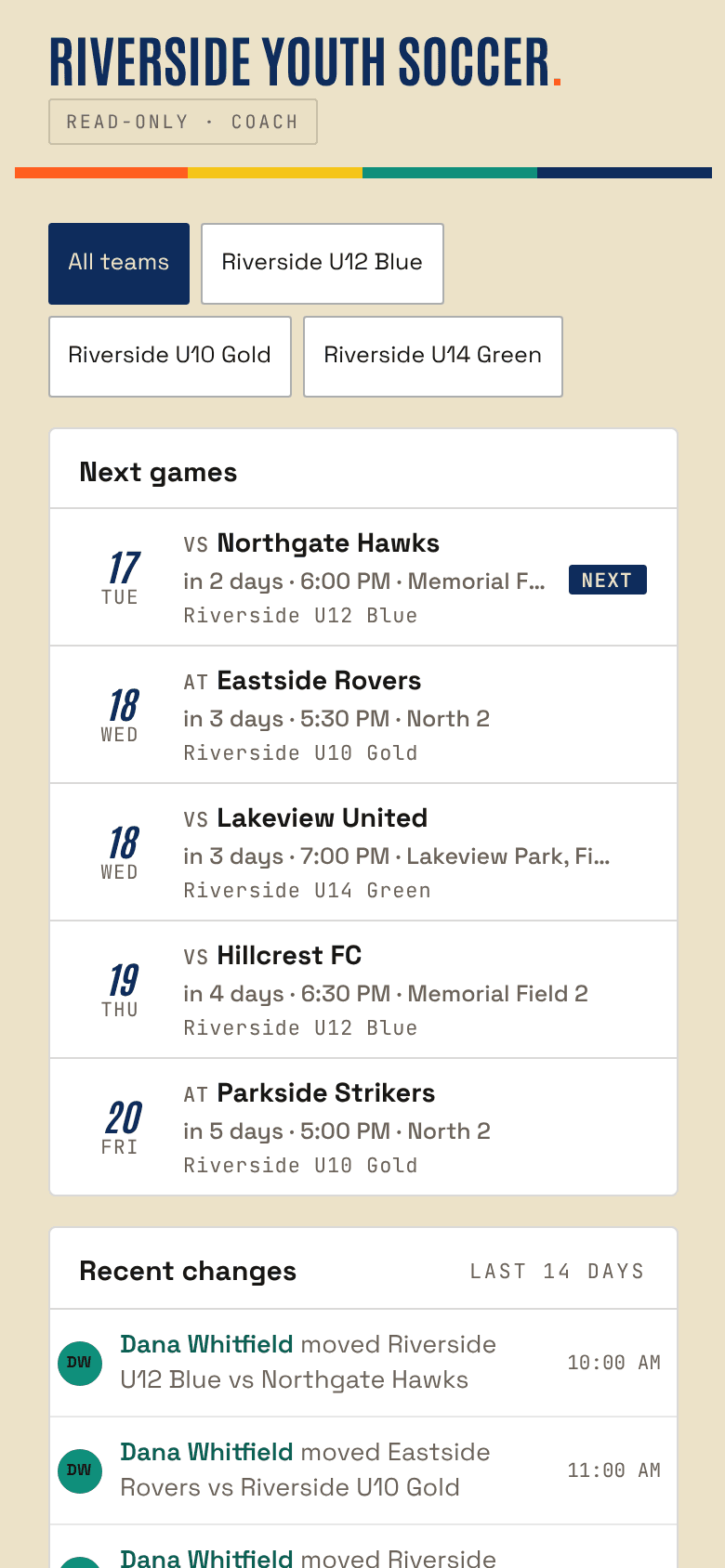
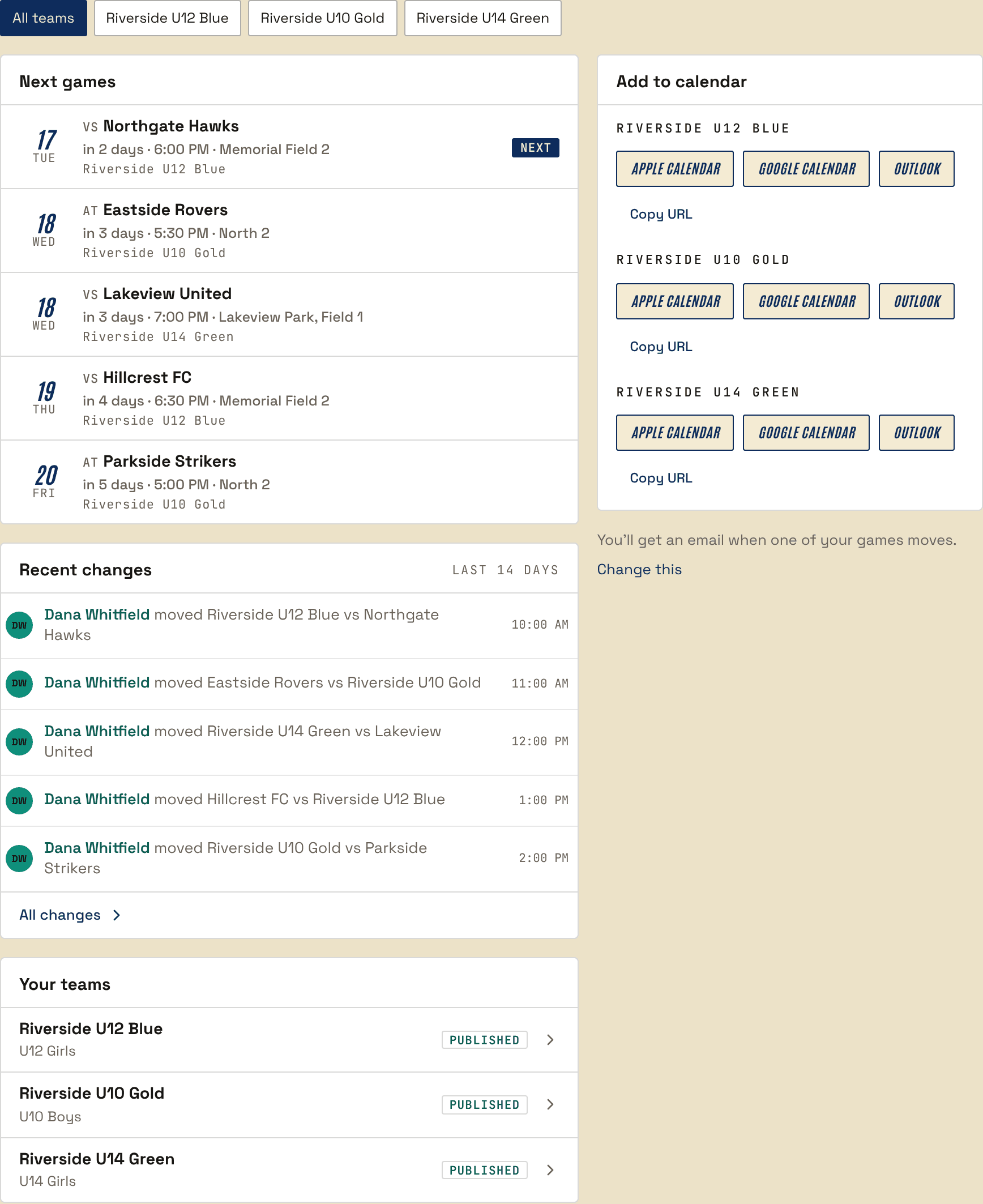
Your next games sit at the top, the soonest one marked Next: the day, the time, who you play, home or away, and which field. Coach two teams and each row says which team it is. A row of team buttons narrows the page to one.
Before your director publishes, the page tells you the schedule isn't out yet. It never shows an empty list and lets you think you have the week off.
Thursday · A game moves
What changed since you looked
Recent changes lists what happened to your games in the last two weeks: a game moved to a new time, a field changed, a game cancelled. All changes opens the full list. You get an email when one of your games moves too, and a line at the bottom of the page links to where you can turn that off.
You can't edit any of it. If it looks wrong, that's a call to the director.
Friday · Add to calendar
Games in your own calendar
Each team you coach has its own calendar link. Add it to Apple, Google or Outlook once, or copy the link. When a game moves, the calendar carries the new time the next time your calendar app checks.
Your teams are listed at the bottom, with a tag for whether the schedule is published, and each one opens that team's page.
Features
Read more
- Survives the Saturday rainout
Why a game you coach sometimes moves, and how the league moves it.
- Schedule version history
How the league keeps a record of every change you see under Recent changes.
Questions
Questions people ask
- How do I get in?
- Your league director invites you by email. The invitation names your team. Tap Accept invitation, make an account or sign in, and you land on your coach home. It takes about a minute.
- Can I change the schedule?
- No. Coach home is read-only. If a game needs to move, that's the league director's call, and you'll see the change here when they make it.
- I coach two teams. Do I get two logins?
- One. Next games and Recent changes cover every team you coach, and a row of team buttons at the top narrows the page to one team.
- Why does it say my schedule isn't published?
- Your director is still building it. Games show up on your coach home the moment the schedule is published.
- How will I know a game moved?
- It shows under Recent changes, and Big Sports emails you when one of your games moves. A line at the bottom of your coach home links to where you can turn those emails off.
Pass it on