Know when to show up.
Practice is Tuesday. Or Wednesday. The game is at the other field, or maybe it's cancelled. What you want is one link that is always right. Big Sports gives every league a public page for exactly that, and an alert when it changes.
The setup
Who this is for
You are a parent with two kids on two teams, an adult player checking where you're headed, a grandparent who drives. You have never wanted to sign up for a scheduling system, and you don't have to.
When a league runs on Big Sports, the director shares one link. That page is the schedule, and it's the same one the coaches and refs see.
Monday · The league page
One link, always current
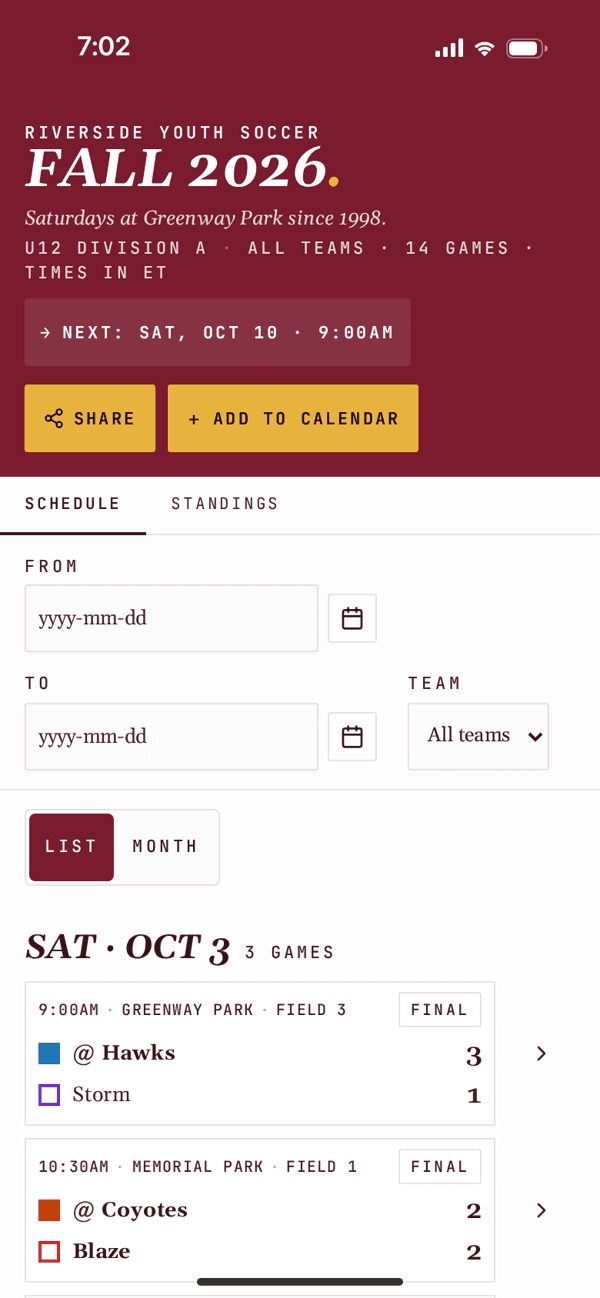
The link opens a page made for a phone. The next game is at the top, then the schedule and the standings in two tabs, and every team has its own page. Share sends it to the next parent. No sign-in, no app.
Watch it below. The page, then the alert a parent gets when a game moves, then the game at its new time.
Wednesday · Follow
Follow a team
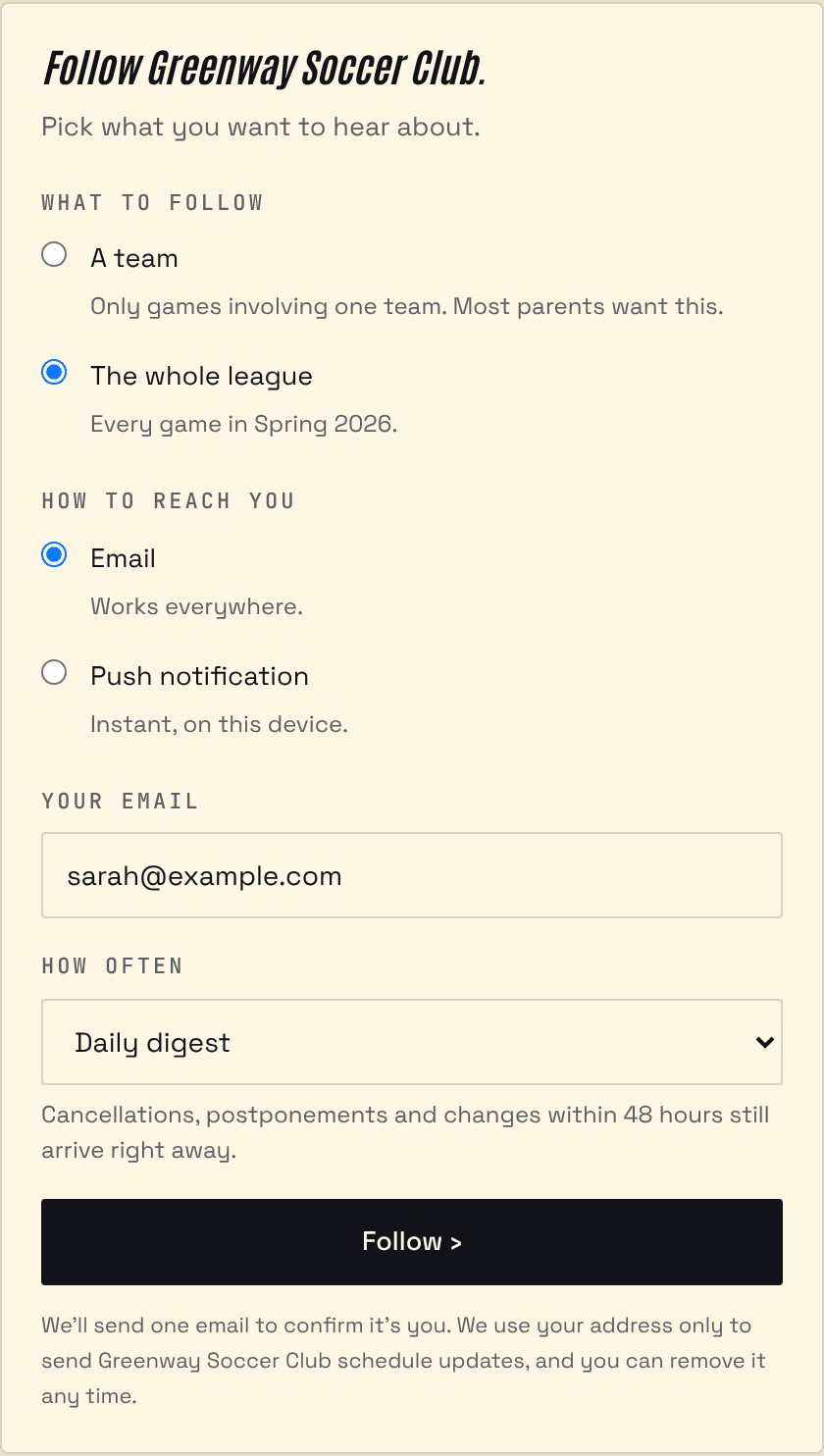
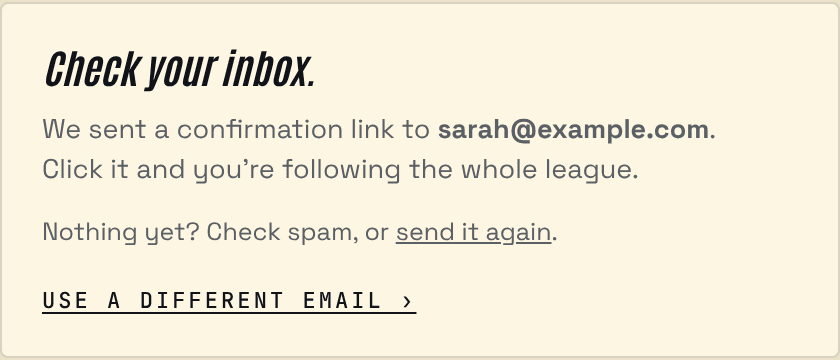
Tap Follow, choose one team or the whole league, and choose how to hear: email, or a push notification on that phone. Email asks you to confirm with a link, and lets you pick how often: right away, a daily digest or a weekly digest. Push is always right away. Either way, cancellations, postponements and changes within 48 hours arrive right away.
On an iPhone, push needs the page added to your Home Screen first. Email works everywhere.

Thursday · Add to calendar
Your calendar, kept right
Add to calendar puts a team's games in Apple, Google or Outlook, or gives you a link to copy. When a game moves, the calendar carries the new time the next time your calendar app checks. You don't add it again.
Saturday · Game time
Watch the score
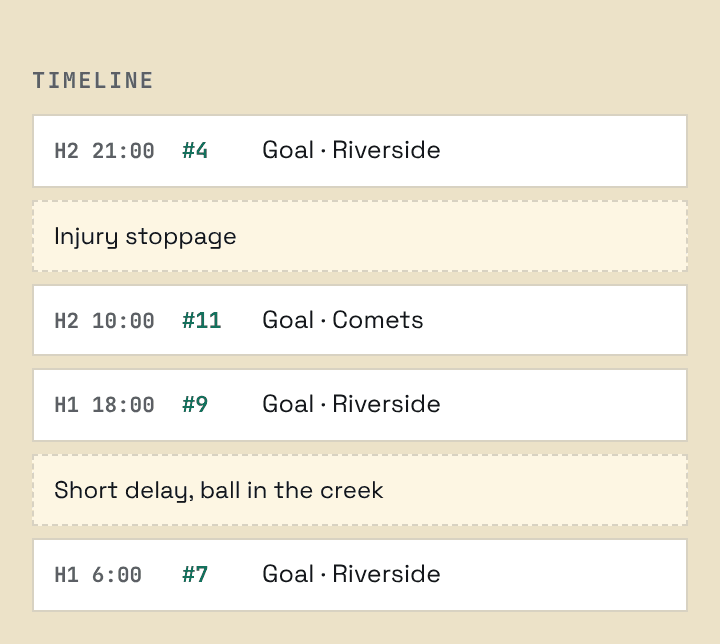
Where the league keeps score live, the game page shows the score and a timeline as it happens: goals, with the jersey number, and any update the scorekeeper sends, like a field change or a short delay. You'll see numbers there, never a child's name.
And to be plain about it: Big Sports is the schedule, kept right. There are no player accounts and there is no chat.
Features
Read more
- Survives the Saturday rainout
What happens behind the scenes when a game moves, and why the page and your calendar change on their own.
Questions
Questions people ask
- Do the players need an account?
- No. Nobody needs an account to look at the schedule, the standings or a team page, and nobody needs one to add a team to their calendar. Following a team takes an email address or a push permission on your phone.
- How do I get an alert when a game moves?
- Tap Follow on the league's page, choose a team or the whole league, and choose email or a push notification. With email you also choose how often: right away, a daily digest or a weekly digest. Push is always right away. Cancellations, postponements and changes within 48 hours arrive right away, even on a digest.
- Does push work on an iPhone?
- It needs one extra step: add the league's page to your Home Screen first. Email works everywhere, with no extra step.
- What if the game moves after I added it to my calendar?
- The calendar link carries the new time the next time your calendar app checks. Nobody needs a new link.
- Can I see the score during a game?
- Where the league keeps score live, yes. The game page shows the score and a timeline of goals with jersey numbers, never player names. If the league doesn't keep score, the page shows the schedule and, afterwards, the result they enter.
Pass it on