Survives the Saturday rainout.
The schedule you publish in August is not the schedule you play. Fields flood, the school takes the gym back, a referee quits in October. Something is always going to move. What matters is how much else moves with it.
01 · The rainout
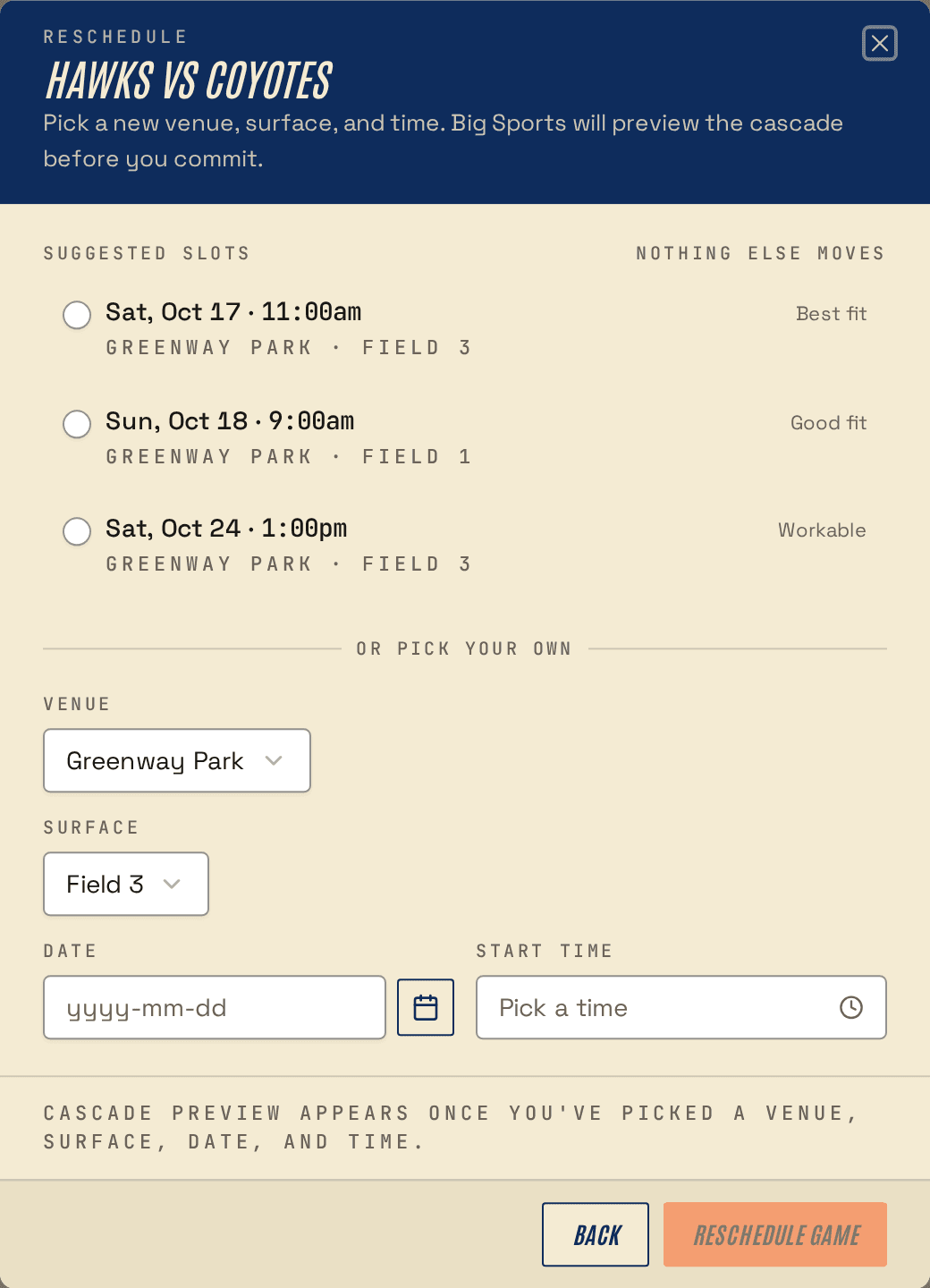
Saturday, 7am, it's raining
You postpone the game. That's the whole first step: open the game, mark it postponed, put your phone down.
When you're ready to reschedule, the engine looks for somewhere to put it. Not every empty box on the calendar, just the slots that actually work for these two teams. The field has to be free. Both teams need their rest window. Neither can already be playing. What comes back is up to three options, best fit first.
You pick one and it's saved. No spreadsheet involved.
02 · Conservative
One game moves. One.
A rainout on field 2 shouldn't reshuffle the U14 division's next three weekends, and it certainly shouldn't do it quietly.
So by default Big Sports does the smallest thing that works: it finds a home for the postponed game and leaves everything else where it was. Every game you already told a parent about stays put.
Every game that doesn't move is an email you don't have to send and an argument you don't have to have.
03 · Regenerate
The bigger hammer, when you want it
Sometimes small is the wrong answer. Three straight weeks of rain, half the division behind, and what you need isn't another patch. It's a real re-plan of what's left.
Regenerate the unlocked games, for the whole season or just one phase, and the engine re-plans around everything that's already happened. Games that have been played, games with results, and games you've locked stay exactly where they are. It only happens when you ask. The engine never decides on its own that your season needs rewriting.
04 · Locks
Do not move this one
Some games aren't negotiable. The championship rivalry that's been the last Saturday in November since before you volunteered. The one the mayor is coming to. The one the sponsor is filming.
Lock it, and the engine treats it as a fixed fact that it plans around, the same way it works around a venue blackout. It won't trade it away when the math gets hard. Unlock it and it's back in play.
05 · Saving
Nothing happens until you say so
Every regenerate arrives as a preview: a list of the games that would move. If the engine had to relax any rules to make it work, it names them, and each one links to the rule.
Until you keep it, nothing is written to the schedule, nothing is published, and nobody is told. Then you keep it or you throw it away and try something else. And if you keep it and regret it on Monday morning, that's what the change history is for.
Questions
Questions people ask
- What happens to the games that were already scheduled?
- Nothing. Rescheduling a rained-out game finds a new slot for that one game and leaves the rest of the season where it was.
- Can I just pick the slot myself?
- Yes. The suggestions are just suggestions. Drag the game wherever you want it on the grid, and each slot shows whether it would cause a conflict before you drop it. Then it's your call.
- What if there's nowhere to put it?
- Then there's nothing to suggest, and you decide what gives: add a date or a venue, relax a rule, or place the game by hand and see exactly which conflict you're accepting.
- Do parents see the change straight away?
- Once you save it, yes. The public schedule page updates within about 15 seconds, and the calendar feed (it works with Google and Apple Calendar) carries the new time the next time their calendar app checks it. Nobody needs a new link and you don't have to send anything.
Get started
Start a season.
Twenty-two teams on four fields is an ordinary season here. Bring yours and see what it does with them.
Start with 21 days of Plus, free. No card up front.