Your games, one list.
You ref weekends, for one league or three. What you want to know is short: which games you've been offered, which ones you said yes to, and whether anything moved. Big Sports puts all three on one page and asks you for one thing, an answer.
The setup
Who this is for
You work games on weekends: a youth league on Saturday, maybe an adult league on Sunday, maybe a tournament now and then. Someone in each league, the assignor, decides who works which game.
In Big Sports the assignor builds crews from the schedule and sends you offers. You never fill out a form. You answer, and then you show up.
Monday · The offer
One email, every game
The assignor arranges the weekend, then presses Send offers. You get one email with every game you've been offered: date, time, venue, division, matchup and your role.
If you don't have an account yet, that same email is your invite. One button, no form to hunt for.
Tuesday · Your answer
Sign in, answer, done
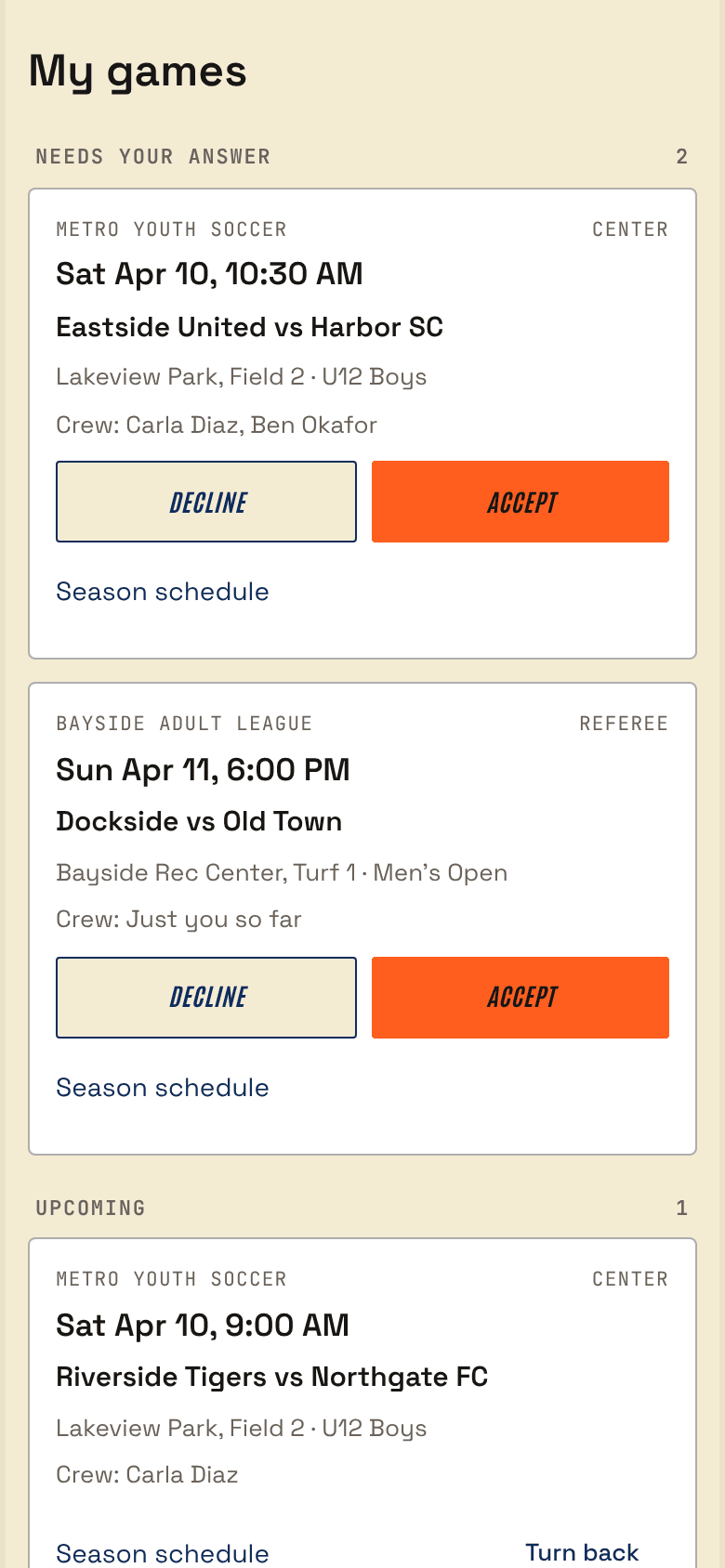
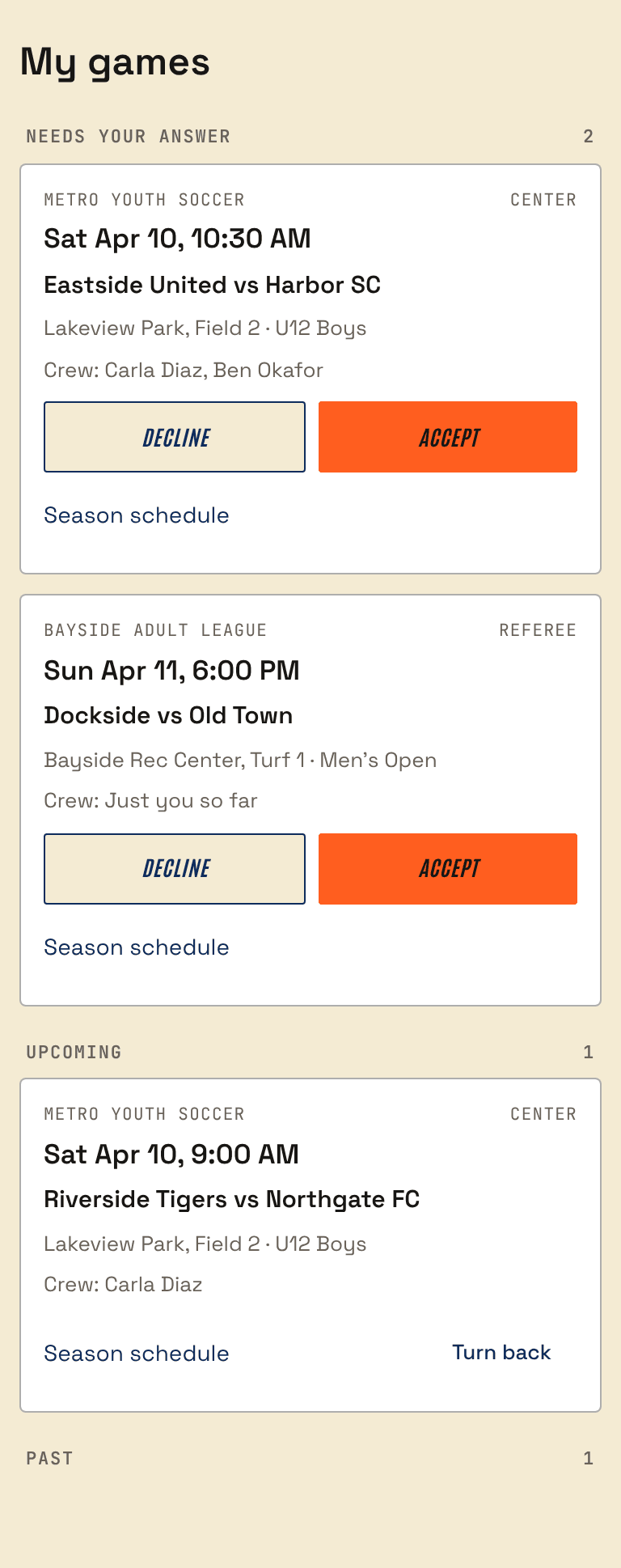
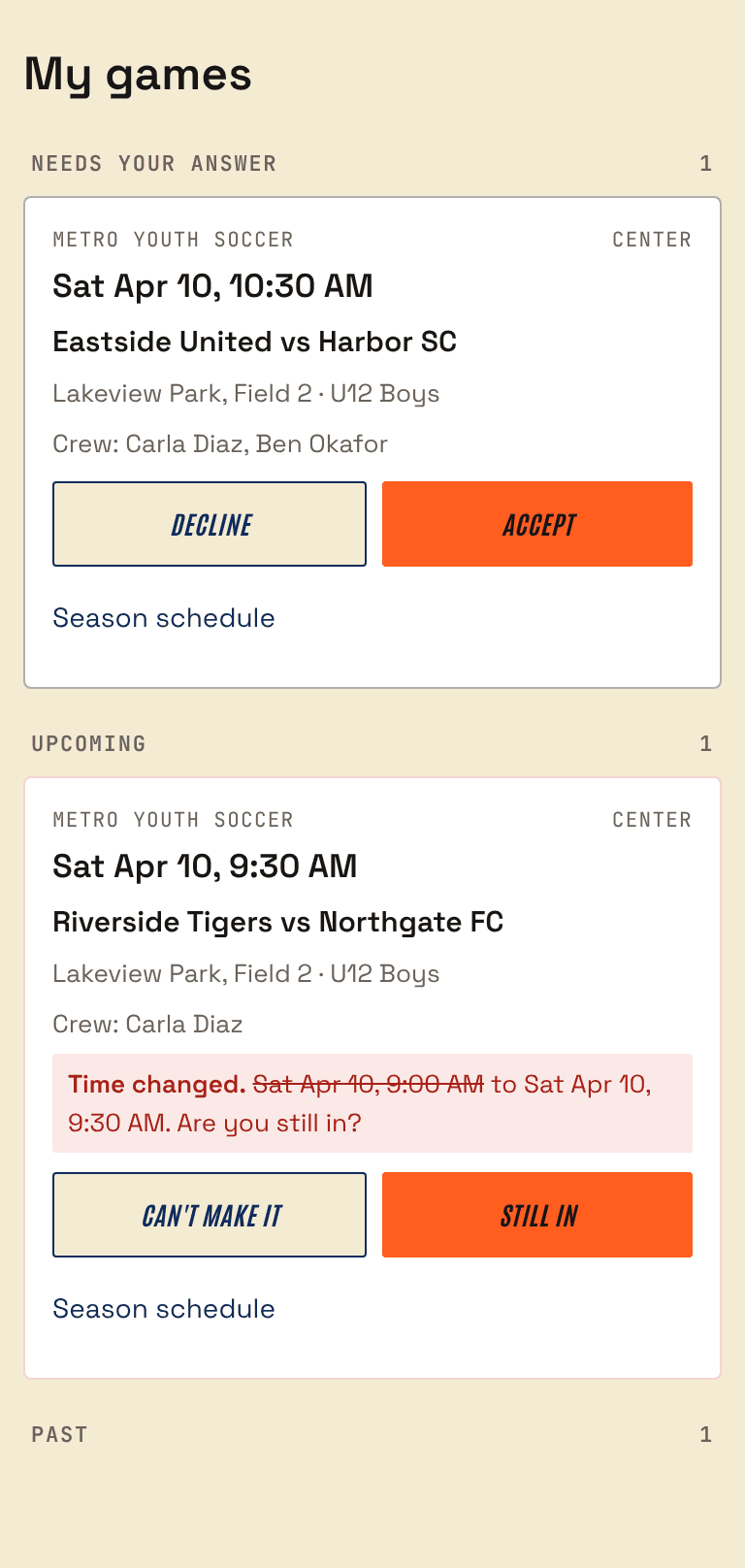
Tap the button in the email and you land on My games. The games waiting on you sit at the top under Needs your answer, each with Accept and Decline. Accept is one tap.
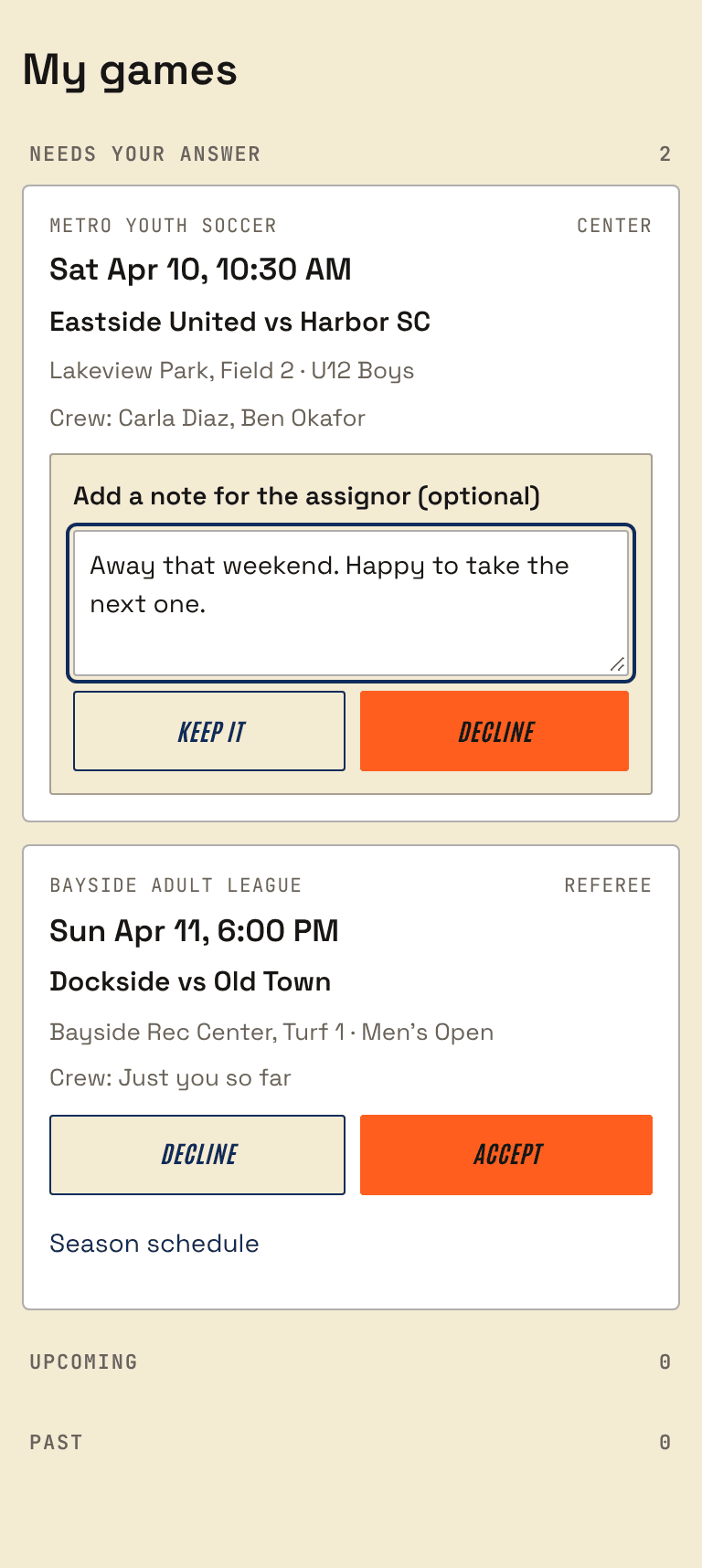
Decline opens a small box where you can tell the assignor why, or leave it empty. Your answer shows on the assignor's board. No phone tag.
Wednesday · Every league
One sign-in, every league
Work for a youth league on Saturday and an adult league on Sunday? Both show up in the same list, with the league named on each game and your role beside it. You sign in once.
Friday · A game moves
When a game moves
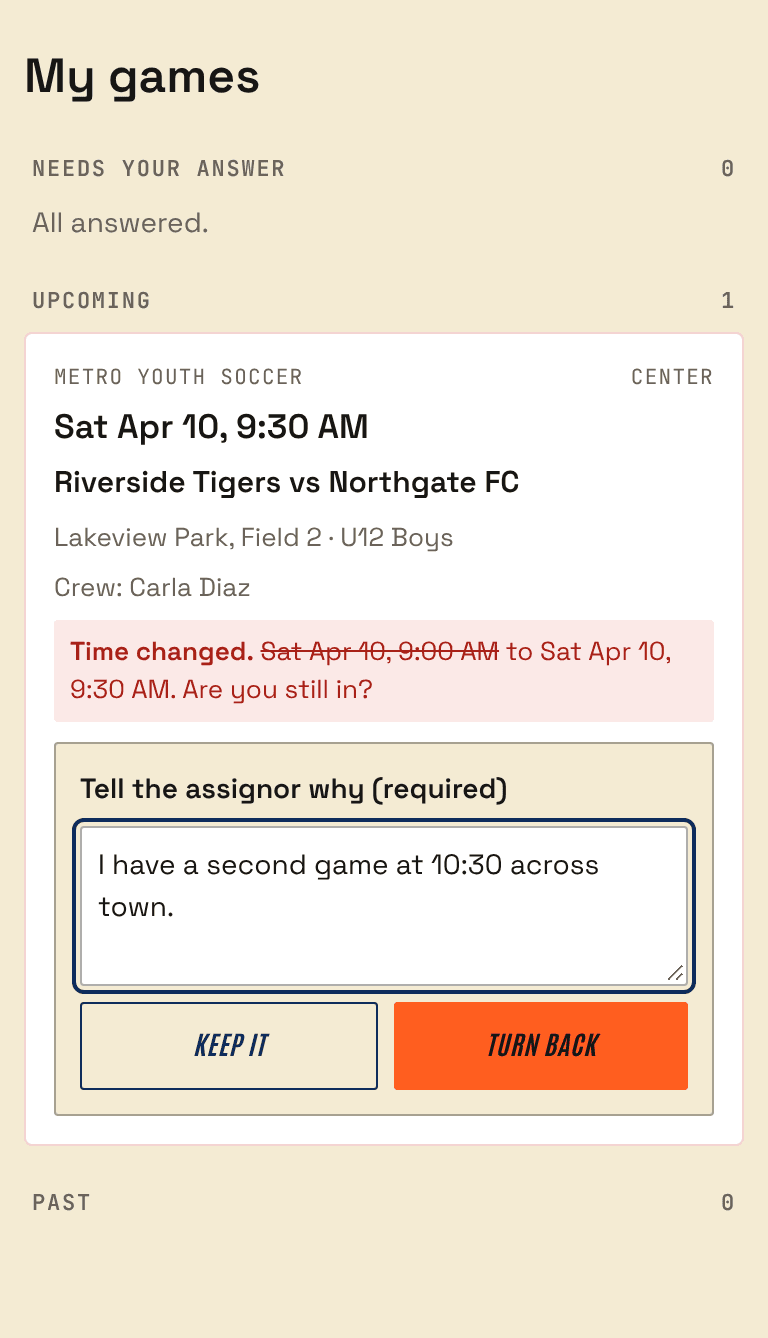
Rain happens. If a game you accepted gets a new time, the card says Time changed and shows the old time crossed out next to the new one. Tap Still in if you can make it. Tap Can't make it if you can't, and tell the assignor why.
If a game you accepted is cancelled or postponed, you get an email telling you so. You don't need to do anything.
Saturday · Game day
Show up
Every card has what you need at the field: the time, the venue and field, the division, your role, and who is on the crew with you. A link on each card opens that league's season schedule.
When the game is over it moves to Past, marked Worked, so you have a record of what you did.
Features
Read more
- Officials and referee assigning
How the league builds crews, assigns from one board, and sends the offers you answer.
- Survives the Saturday rainout
Why a game you accepted sometimes moves, and how the league moves it.
Questions
Questions people ask
- Do I need an account?
- To answer offers in Big Sports, yes, and the first offer email is your invite. Big Sports is for officials who are 18 or older.
- I work for two leagues. Do I get two logins?
- One. Every game from every league that uses Big Sports is in the same list, with the league named on each game.
- What if I said yes and then can't make it?
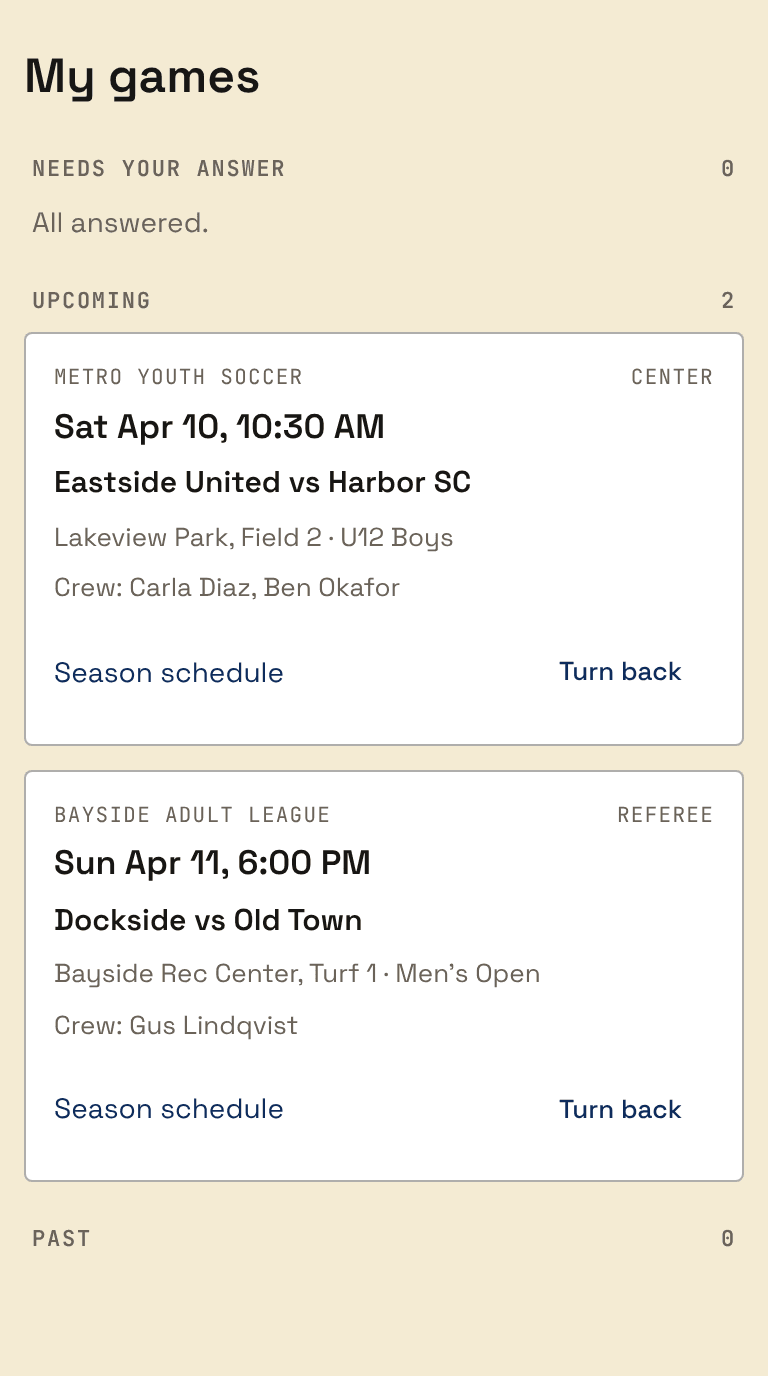
- Tap Turn back on the game and tell the assignor why. The assignor sees your note on their board.
- How do I find out something changed?
- If a game you accepted is cancelled or postponed, you get an email. If its time changes, the game card in My games says so, with the old time crossed out, the next time you open your list.
- Can I pick up open games?
- No. The assignor offers you games, and you accept or decline the ones offered.
Pass it on