Every change is reversible.
Scheduling is a long series of small decisions made by tired volunteers at night. Some of them are going to be wrong. You can't avoid that, but you can make them quick to take back.
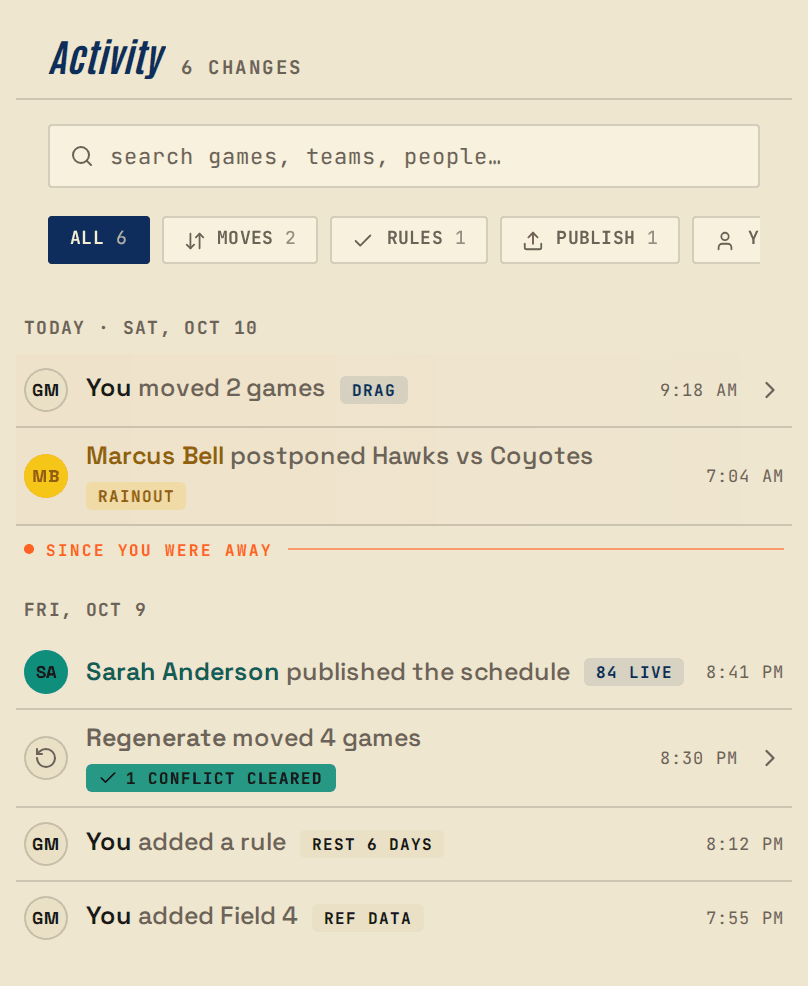
01 · Saved changes
Every edit is saved as its own step
Every change to a Big Sports season (a game moved, a rule added, a team renamed, a phase re-planned) is saved as its own step, with your name and the time on it, and a record of what it actually did.
You don't have to remember to save a version or keep notes. The history builds itself as you work, and it's there for everyone on your team to read.
02 · Undo
Undo means undo
Moved a game to the wrong field? Accepted a re-plan and regretted it ninety seconds later? Undo takes it back, and redo puts it back again.
Undo isn't a buffer that forgets the moment you close the tab. It works from the season's own history, so a change you made yesterday is still there to take back today.
03 · The record
What did we agree on Tuesday?
Every league has this meeting. Somebody is certain the U10 semifinal was moved to the 14th. Somebody else is equally certain it wasn't. Both of them are volunteers, both of them are tired, and neither of them is lying.
Open the change history and read it out: who changed what, and when. It's a plain list you can scroll in front of a room, not a report you have to ask someone to run. That usually settles it.
It also makes handing the schedule to a new volunteer a lot less nerve-racking. You can see what they did.
04 · Revert
Take it back out
Reading the history is useful. Being able to act on it is better.
Find a change you made and undo it, even if it isn't the last thing that happened.
In practice, you can afford to experiment. Run the big re-plan to see what it says. Drag six games around to find out how the weekend feels. If you don't like it, undo it.
Questions
Questions people ask
- How far back does the history go?
- The whole season. It starts the day you create the season, and it doesn't roll off after thirty days or the last ten edits.
- What counts as a change?
- A game moved, cancelled, or rescheduled. A rule added, edited, or removed. A team, division, or venue changed. A whole phase re-planned. If it altered the schedule, it's a row in the history with a name and a timestamp on it.
- Does it record the edits I made by hand?
- Yes, and it doesn't treat them differently. A game you dragged across the grid is a saved change exactly like an engine re-plan. There's one history, not a real one and a manual one.
- Can I undo something that isn't the most recent change?
- Yes, for changes you made yourself. Find it in the history and undo it from there. Changes someone else made are theirs to undo.
Get started
Start a season.
Twenty-two teams on four fields is an ordinary season here. Bring yours and see what it does with them.
Start with 21 days of Plus, free. No card up front.